
Custom Landing Page Styles
Use custom styles when the standard theme and background settings are not enough. First decide what to change: the entire page, all HTML blocks or just one block.
Choose the Scope
Open landing settings.
- CSS for the entire landing applies to the entire page.
- Shared CSS for HTML blocks applies only to HTML block content.
:scoperepresents the root of each such block.
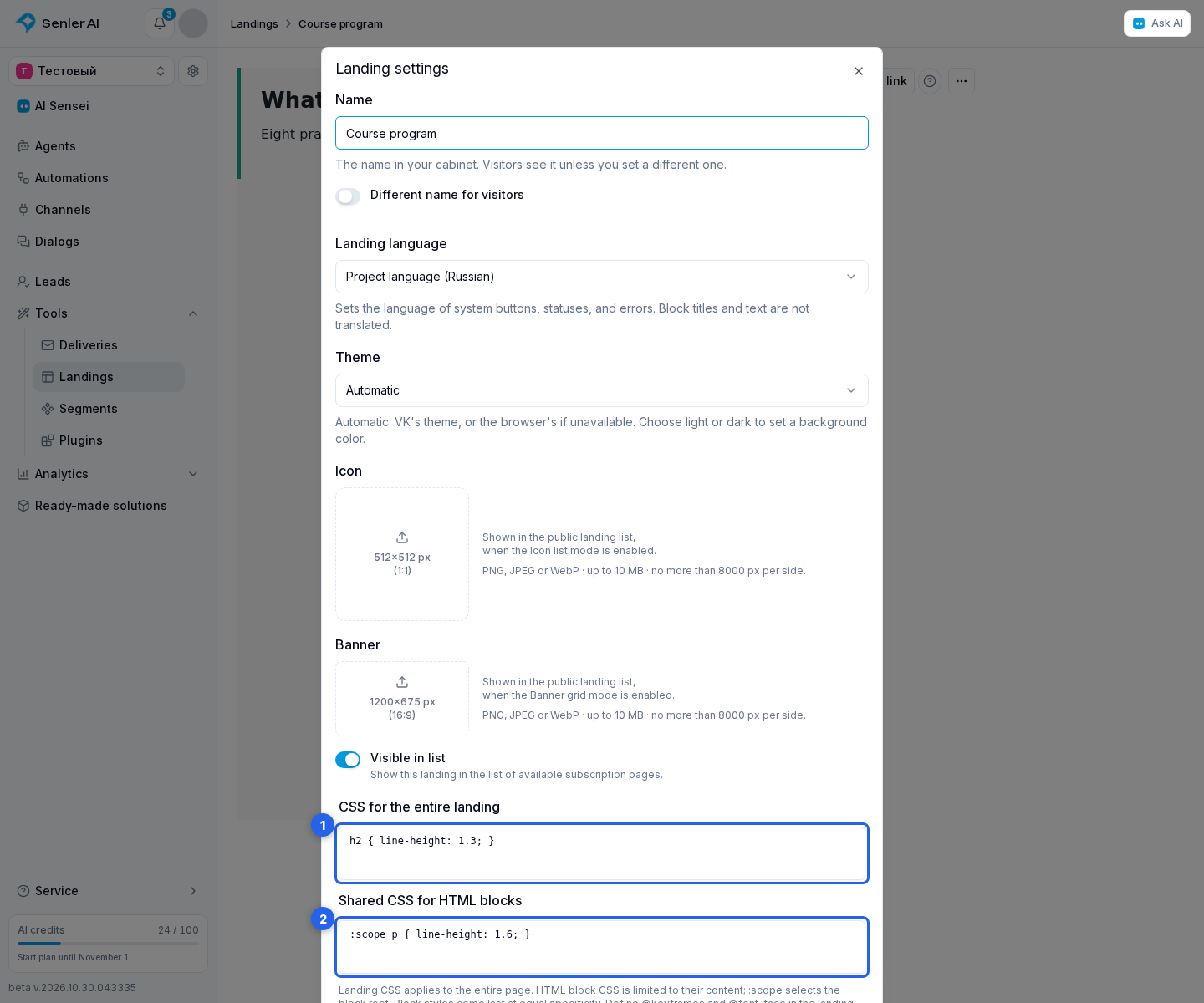
For an individual block, use its CSS for this block field. Styles are applied in this order: page styles, shared HTML block styles, individual block styles. Later styles win when selector specificity is equal.
Click Save, check the preview and publish your changes. For an agent subscription page, publish the agent.
CSS Rules
- Each CSS field accepts up to 50,000 characters.
- Standard selectors,
@media,@supportsand@containerare supported. - Declare
@keyframesand@font-faceonly in Landing CSS. Block styles can use an animation or font already declared there. @importand nested CSS selectors are not supported. Use a complete selector instead, such as.course-info h2.url(...)acceptshttp/httpsURLs, absolute paths from the site root,#identifiersand bitmapdata:imageURLs for PNG, JPEG, WebP or GIF.
If a field contains invalid CSS, none of that field's styles are applied. The original text remains in the draft and the preview shows an error. Correct the indicated rule before publishing. Check both light and dark themes: custom colors are not chosen automatically.