
Restore a channel disconnected without a plan
After 180 days without an active plan, Senler stops incoming and outgoing messages and disconnects channels. The period starts when the last plan ends, including a trial; if there has never been a plan, it starts at project creation. Signing in, incoming messages and adding funds without activating a plan do not restart this period.
Settings, dashboard history and credentials are preserved. Disconnection without a plan is tracked separately from a manual pause.
Check the channel status
Open the channel settings. The notice at the top explains the status and next actions. The channel list also shows the corresponding status.
| Status | Meaning |
|---|---|
| “Disconnecting without a plan” | Incoming messages are blocked; external connections are being disconnected. |
| “Disconnected without a plan” | The connection is stopped. Activate a plan to restore it. |
| “Message intake stopped” | An external connection remains, for example because other channels share it or the platform has not confirmed disconnection. This does not mean Senler accepts messages. |
| “Reconnecting” | The plan is active and the connection is being restored. |
| “Restoration failed” | Automatic retries have ended. “Retry connection” is available. |
| “Reconnection required” | Check channel access and reconnect it. |
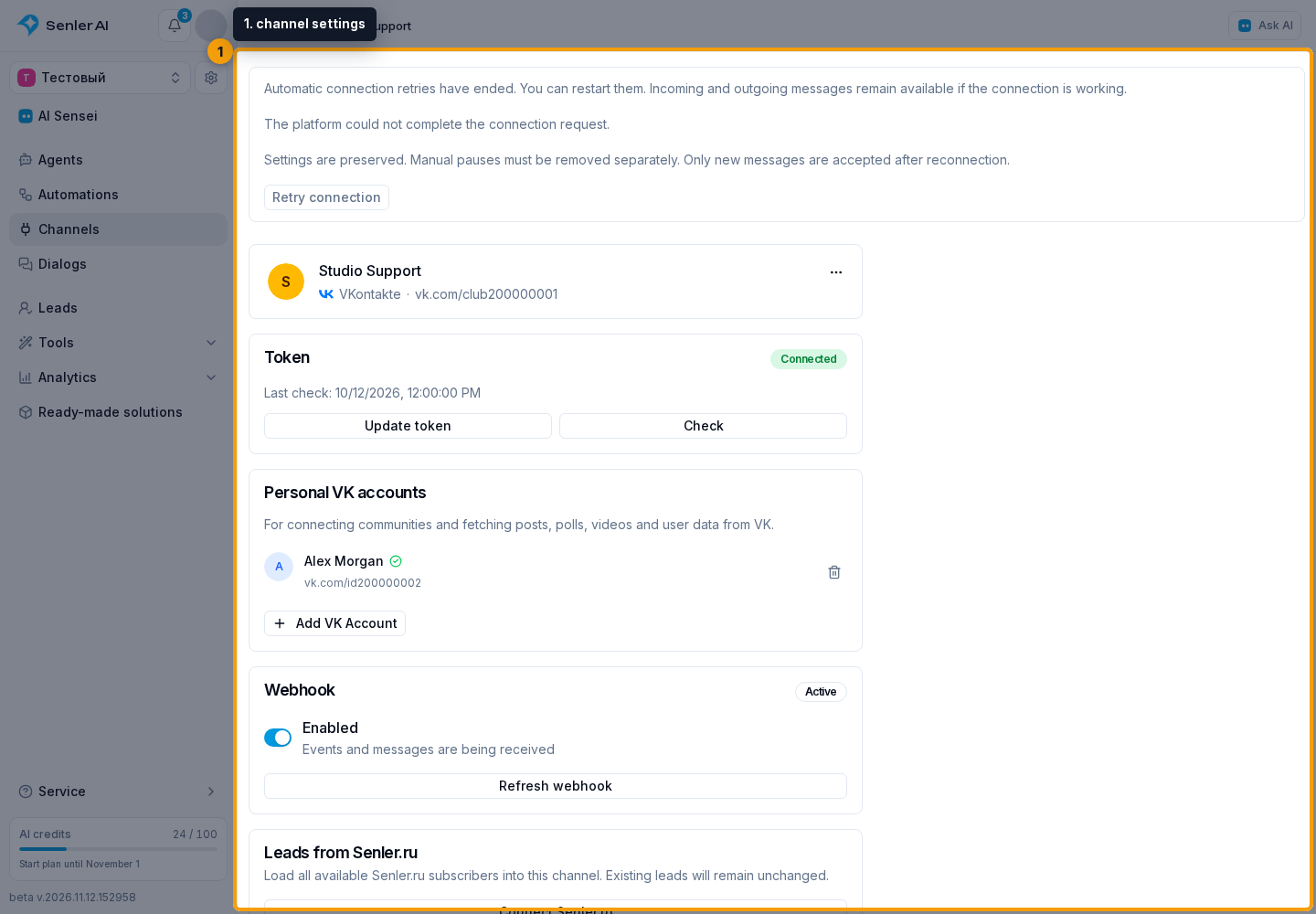
Restore the connection
- If the project has no plan, select “Activate a plan” and choose a plan. Adding funds alone is not enough.
- After activation, wait for previously enabled connections to recover. If the channel was manually paused, resume it. Activating a plan does not remove a manual pause or enable a connection that was explicitly disabled.
- For “Restoration failed”, read the reason and select “Retry connection”. This requires permission to manage the channel and does not remove a manual pause.
- For “Reconnection required”, check access on the platform and restore the token or authorization. If another connection owns the webhook, check its purpose on the platform first.
- Wait for the result and check that a new message arrives.
Recovery statuses do not themselves block intake or sending that already works: an incomplete recovery notice may remain while the available part of the connection works.
Which messages arrive after recovery
New messages are accepted from the recovery boundary set when the plan is activated, or from a later manual enablement. Messages from the disconnected period are not imported automatically. A technical connection retry does not move that boundary.
If automation delivery errors remain from before disconnection, separately review and retry the required steps. Restoring a channel does not request that all earlier messages be sent again.