
“Issue an invoice” step
The “Issue an invoice” step sends a Telegram Stars invoice to the current private dialog. It is available in “For dialogs” automations. The recipient must be chatting with the selected Telegram bot: selecting another bot does not move the conversation to it.
Configure the invoice
Add the step from the catalog, connect it to the required branch, and select it on the canvas. In the invoice settings:
- Keep “Current dialog’s bot” or select the Telegram bot for this dialog.
- Enter “Amount in Stars ★”: a positive integer, such as
100. You can insert a variable; it must resolve to a positive integer when the step runs. - Optionally enter “Order data”: a number, text, JSON, or a variable containing an object. For example,
{"order_id":"SHOP-42","product":"course"}. The resolved data must not exceed 32 KiB. - Click “Save”.
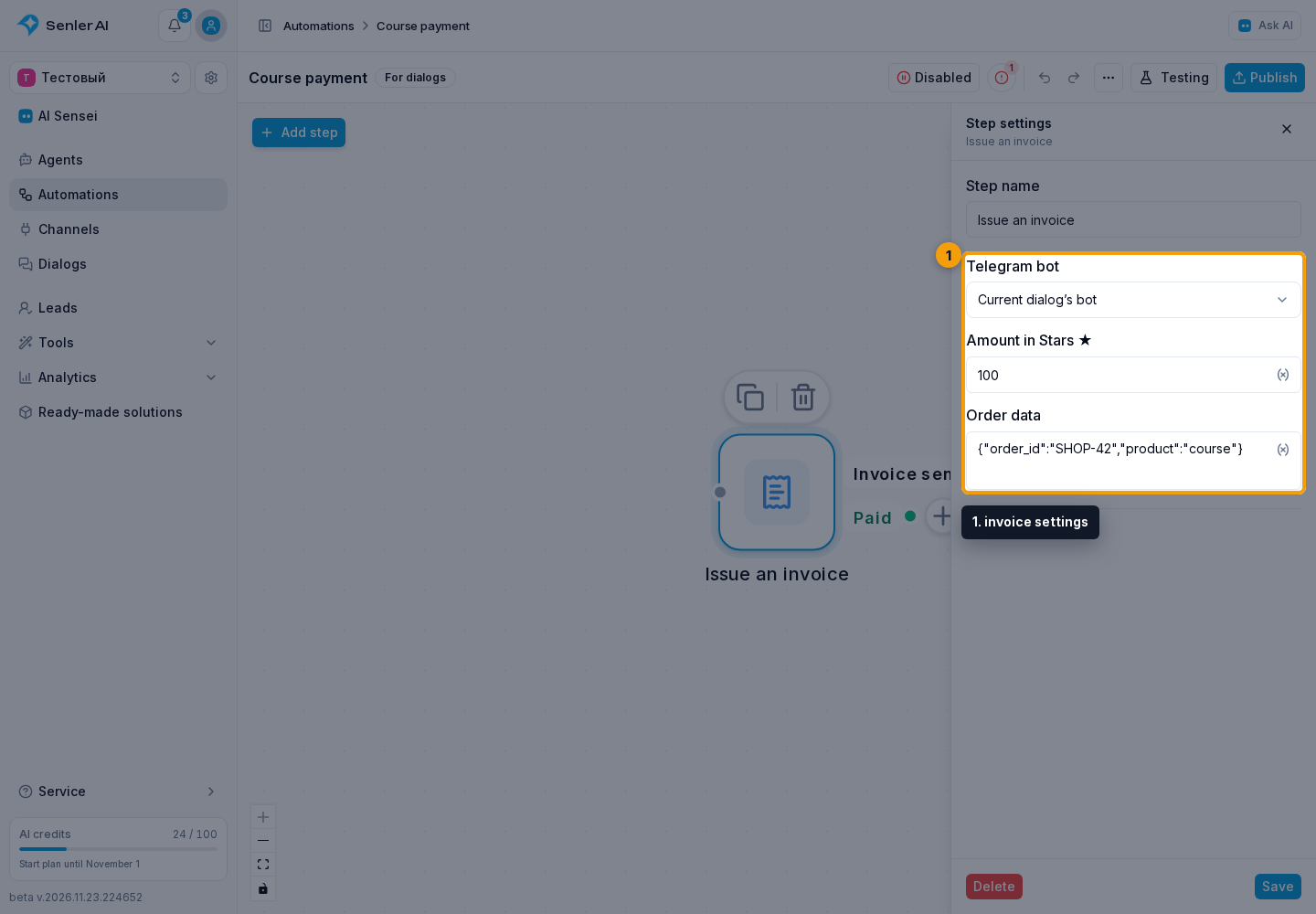
Order data links the payment to a purchase. To filter by a specific order, provide its number on its own or in the object’s order_id or id field. You can leave order data blank.
Connect the outputs
- “Invoice sent” continues after the invoice is sent. Use this branch for further instructions to the customer.
- “Paid” continues after payment of this particular invoice is confirmed. Connect access delivery or another action that requires payment here.
The payment branch receives run.payment: the amount, currency (XTR for Stars), payment_id, and order_data. For example, {{run.payment.order_data.order_id}} contains SHOP-42 for the example above.
If the project also has an enabled “Payment received” trigger, a matching payment can start that automation as well. Configure sources and filters so that two independent branches do not grant access for the same purchase.
Publish and enable the automation when the flow is ready.
Test the payment branch
In “Test dialog” mode, the step displays a “Test invoice” with “No Stars will be charged.” and a “Pay” button. Clicking it tests the “Paid” branch without a real charge; the test payment data includes is_test: true.
Testing in an existing real Telegram dialog sends a real invoice. Use a test dialog to check the flow without payment. If the invoice cannot be sent, check the dialog type, selected bot, and resolved amount.