
Booking Statistics
Open the Statistics tab. Choose a period of up to 31 days and optionally filter by service or specialist.
Metrics
The summary shows:
- Bookings: the number of client bookings for the selected period, excluding the waitlist.
- Completed visits: the number of seats in completed bookings.
- No-shows: the number of seats in no-show bookings.
- Occupied seats: occupied seats and the total capacity of non-cancelled appointments and sessions.
- Waiting: waitlist bookings.
- Cancelled: cancelled bookings.
One client can book several seats, so booking counts and occupied seats do not have to match.
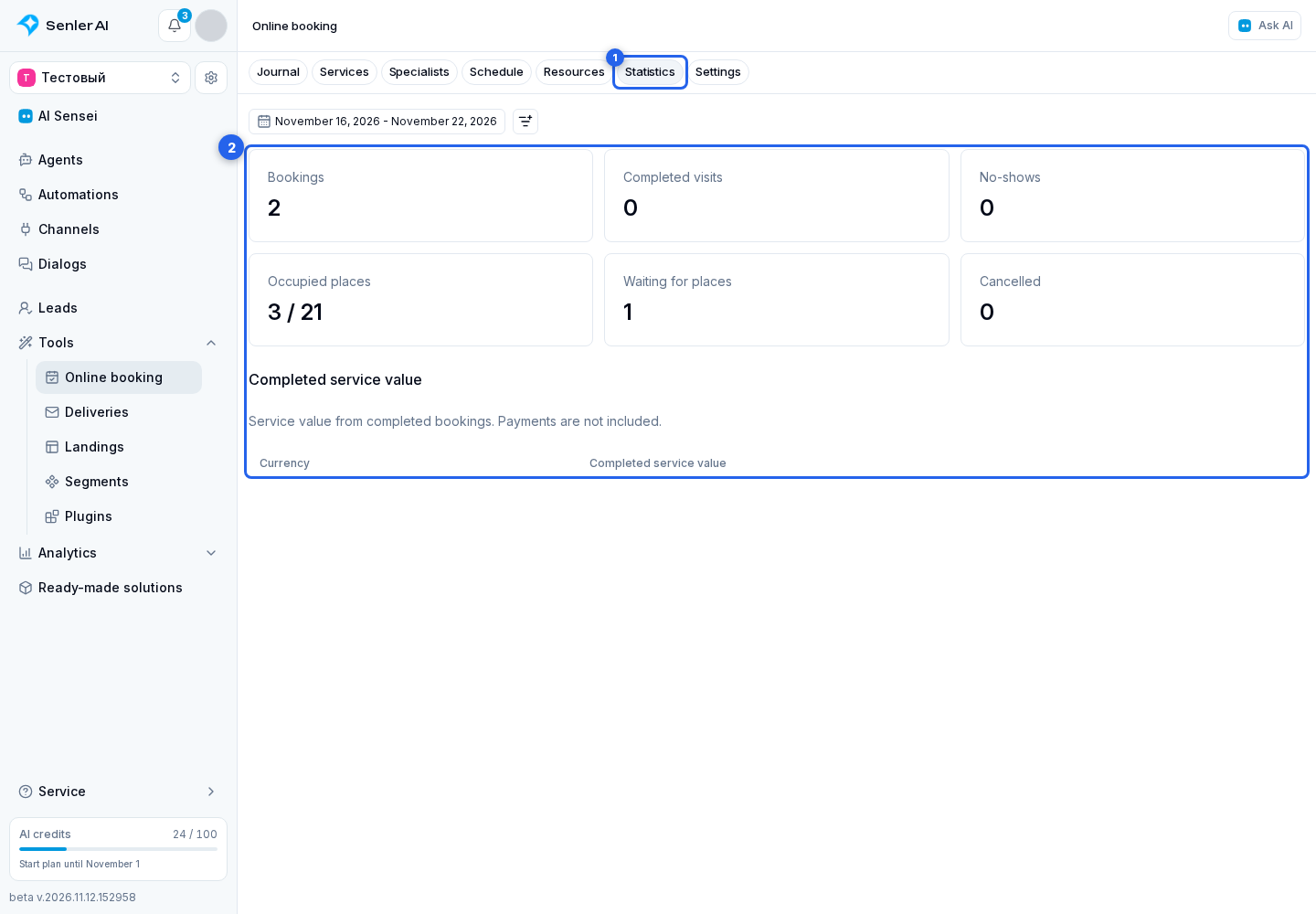
Value of completed services
Below the metrics, the value of Completed bookings is shown separately for each currency. The amount uses the saved price per seat and the number of seats in each booking.
This is the value of services provided, not confirmation of payment received. To check individual visits, open the journal for the same period.