Booking Settings
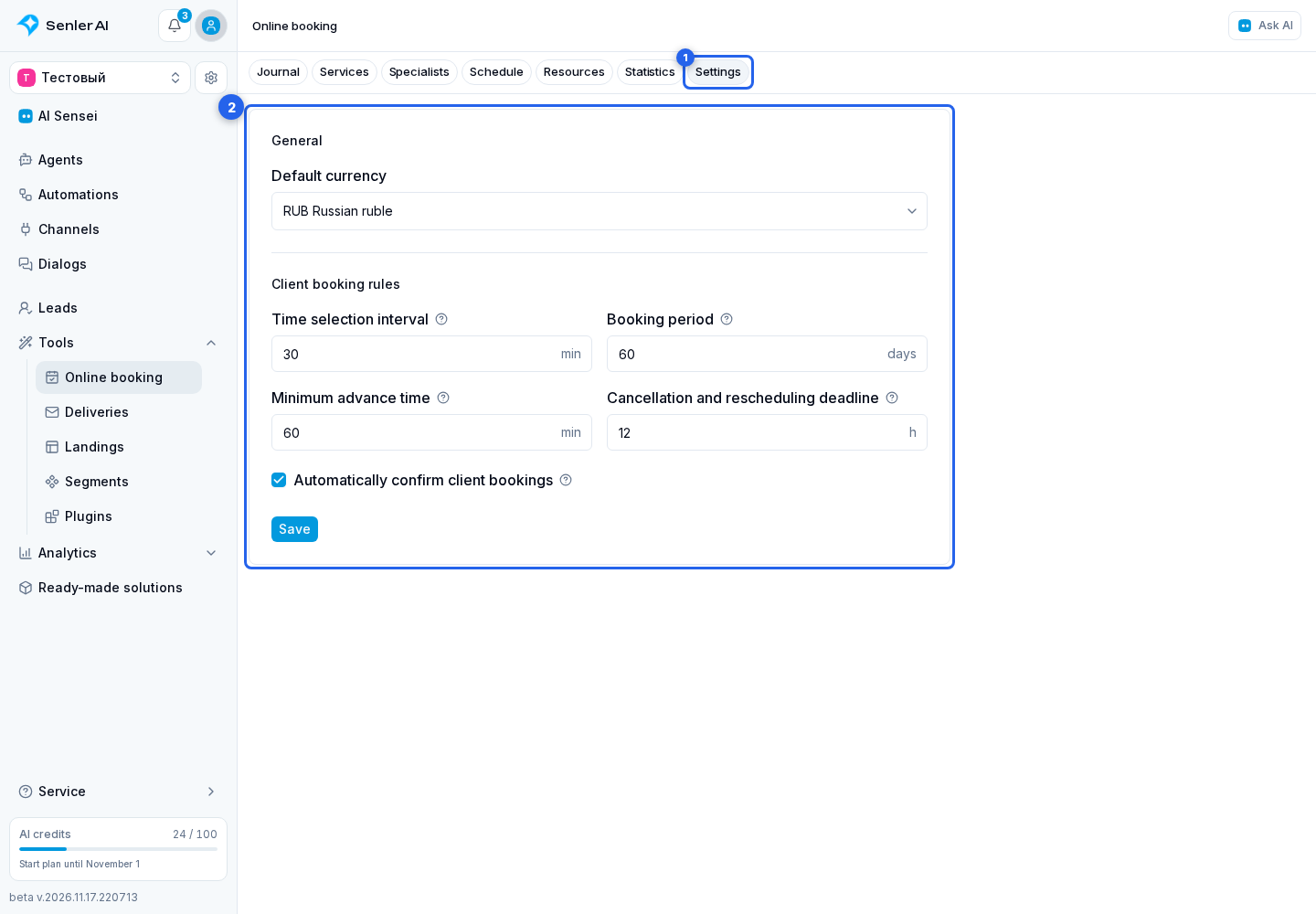
In Online Booking, open the Settings tab.
General settings
In General, select the default currency. It is prefilled when creating a service. You can choose a different currency in the service. Changing the default does not change the currency or prices of existing services and bookings.
Working days and appointment hours use the project time zone.
Client booking rules
Client booking rules control availability and confirmation:
- Time selection interval is a whole number from 5 to 240 minutes. It sets the spacing between suggested individual appointment start times. For example, a 30-minute interval offers 10:00, 10:30 and 11:00. It does not replace service duration or change group class times.
- Booking period determines how many days ahead clients can book: from 1 to 365 whole days. The default is 60 days. The period advances every day.
- Minimum advance time prevents bookings too close to the start. The default is 60 minutes.
- Cancellation and rescheduling deadline is measured in hours before the start and limits cancellation and rescheduling through the agent. The default is 12 hours. This limit does not apply to staff managing bookings in the journal.
- Automatically confirm client bookings: enabled by default. When disabled, bookings through a landing page, agent or automation are Awaiting confirmation but already occupy seats. Staff bookings are confirmed immediately. Waiting list entries keep their status and do not occupy seats.
The booking period and minimum advance time apply to bookings through landing pages, agents and automations. Staff can book closer to the start or beyond the period in the journal. Times must still be in the future, and working hours, specialist availability, resources and available seats are still checked.
For landing page bookings, prepare active services, specialists and resources, and publish a booking block or a button with the Online booking action. A group class must also be available on the landing page. The block or button action defines which services and specialists visitors can choose.
Fill numeric fields with nonnegative whole numbers. Minimum advance time is measured in minutes; the cancellation and rescheduling deadline is measured in hours. To set a limit to zero, enter 0: an empty field is not saved as zero.
Click Save in the settings form. Configure the agent's booking access separately.