
Call parameters
Input parameters describe the data an automation needs when called by an agent or another workflow. For example, a delivery calculation can accept a city as city and an order amount as amount.
Configure input data
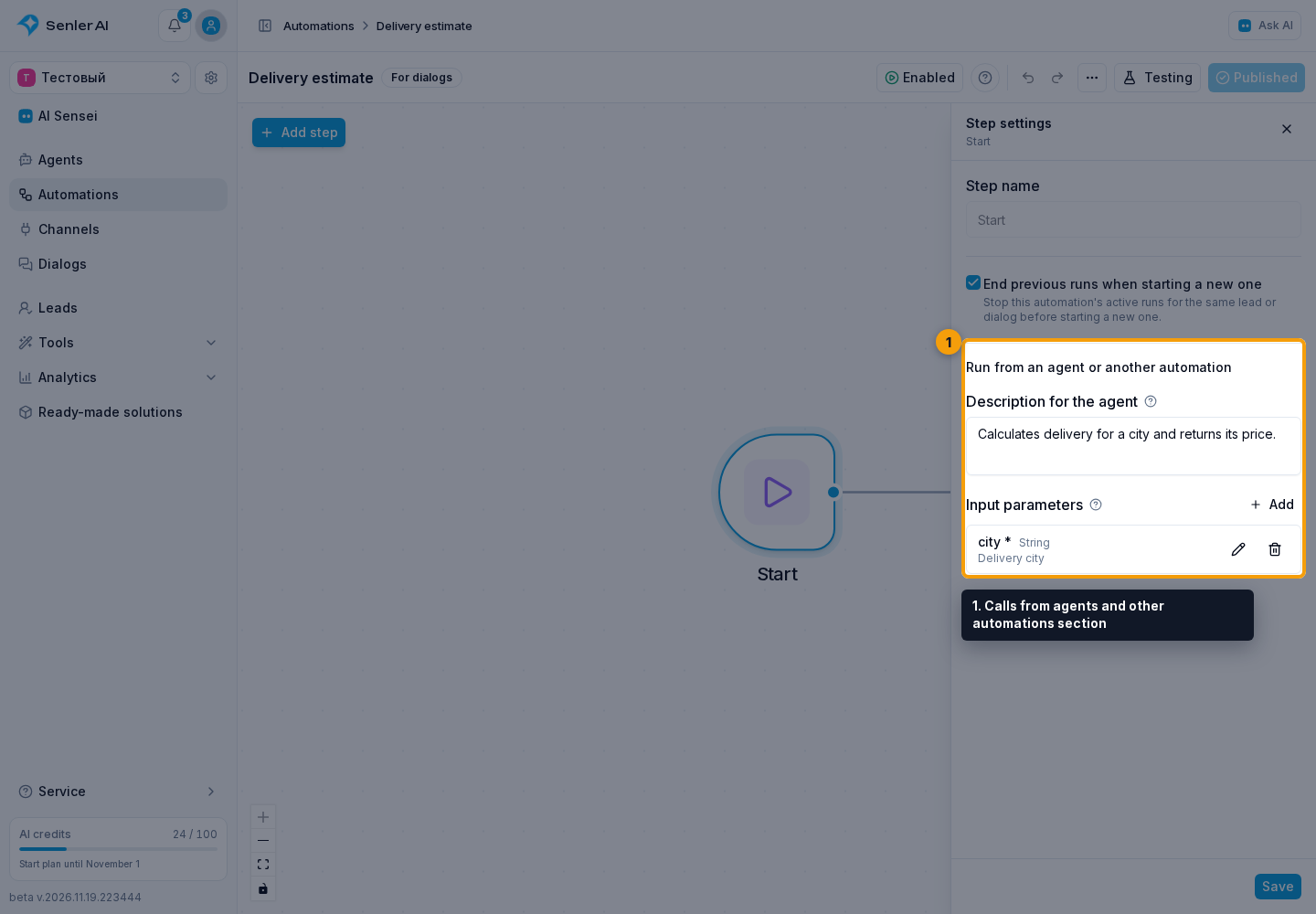
Open the Start step and the Calls from agents and other automations section.
- In Description for the agent, explain what the workflow does and when to call it. For example: "Calculates delivery from the city and order amount; returns the price in rubles."
- Click Add under Input parameters.
- In the parameter dialog, set the name, type and description. Enable Required if the workflow must not run without this data.
- If a value can be supplied automatically, enable Set a default value and enter it.
- Save the parameter and the step settings.
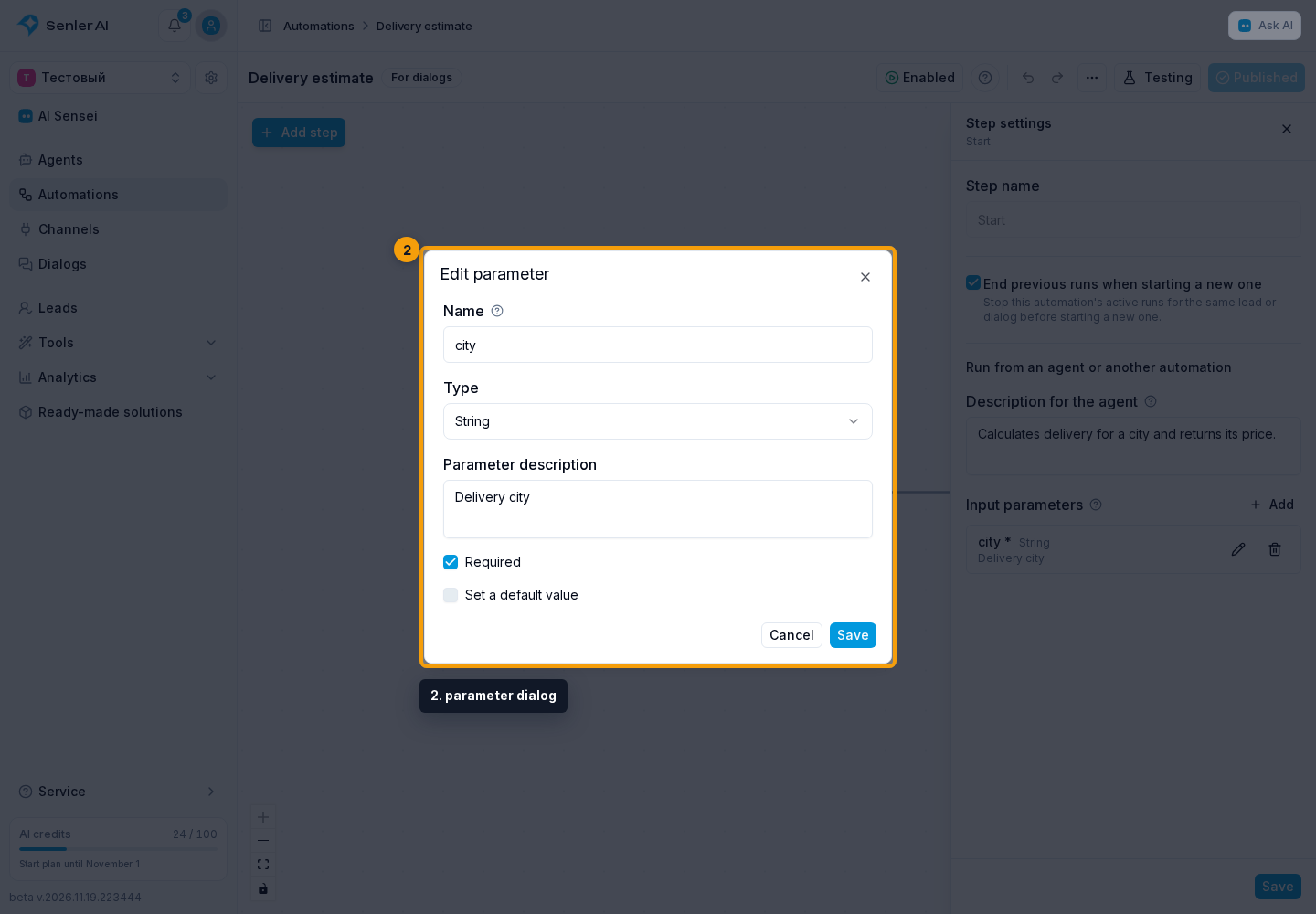
Available types are string, number, integer, yes/no, object and array. Names contain Latin letters, digits and underscores, start with a letter or underscore and must be unique. You can declare up to 50 input parameters.
Subsequent steps use the values as process variables: {{run.city}} and {{run.amount}}. A default is used when the caller omits the parameter; it must match the parameter type. A required parameter without a supplied value or default prevents the call from starting.
Connect a call
After publishing, connect the automation to an agent or select it in a Call automation step. Parameter edits in the draft do not change the published workflow. When updating names and types, check calling workflows: their values must match the newly published version.
To send data back, add a Return result step. Enable waiting on the caller's side: in the agent tool settings or the Call automation step.