
Referral Program
A referral link invites new users to Senler. The link belongs to the selected project; commission goes to that project's earned balance. The commission percentage is shown on the program page.
Get a link
Open the intended project's settings and select Referral program. Access to the program page requires permission to manage billing.
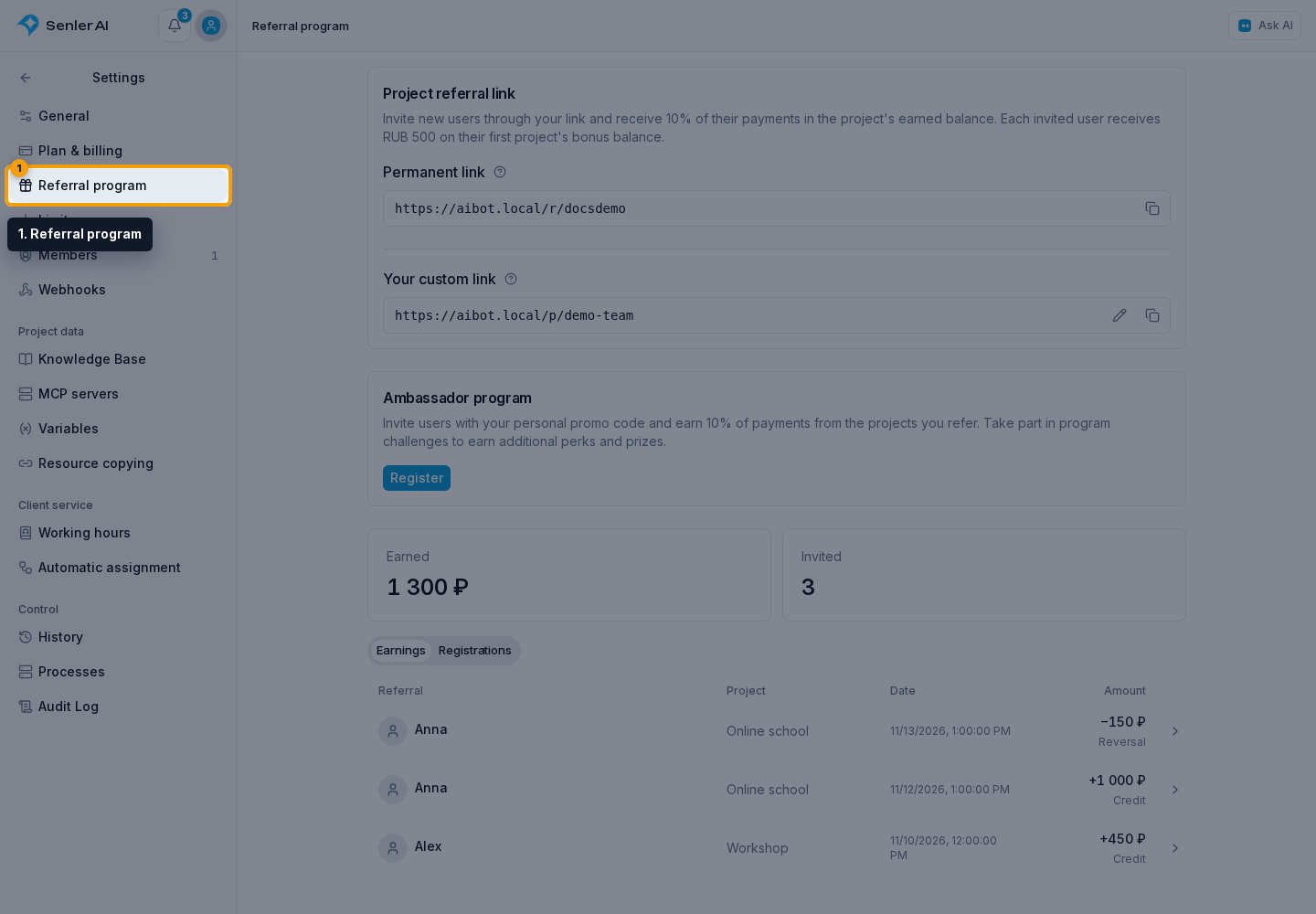
In Project referral link, copy the Permanent link using the button on the right. If the browser blocks copying, select the address in the field and copy it manually. Before sharing, check that you have opened the project that should receive the earnings.
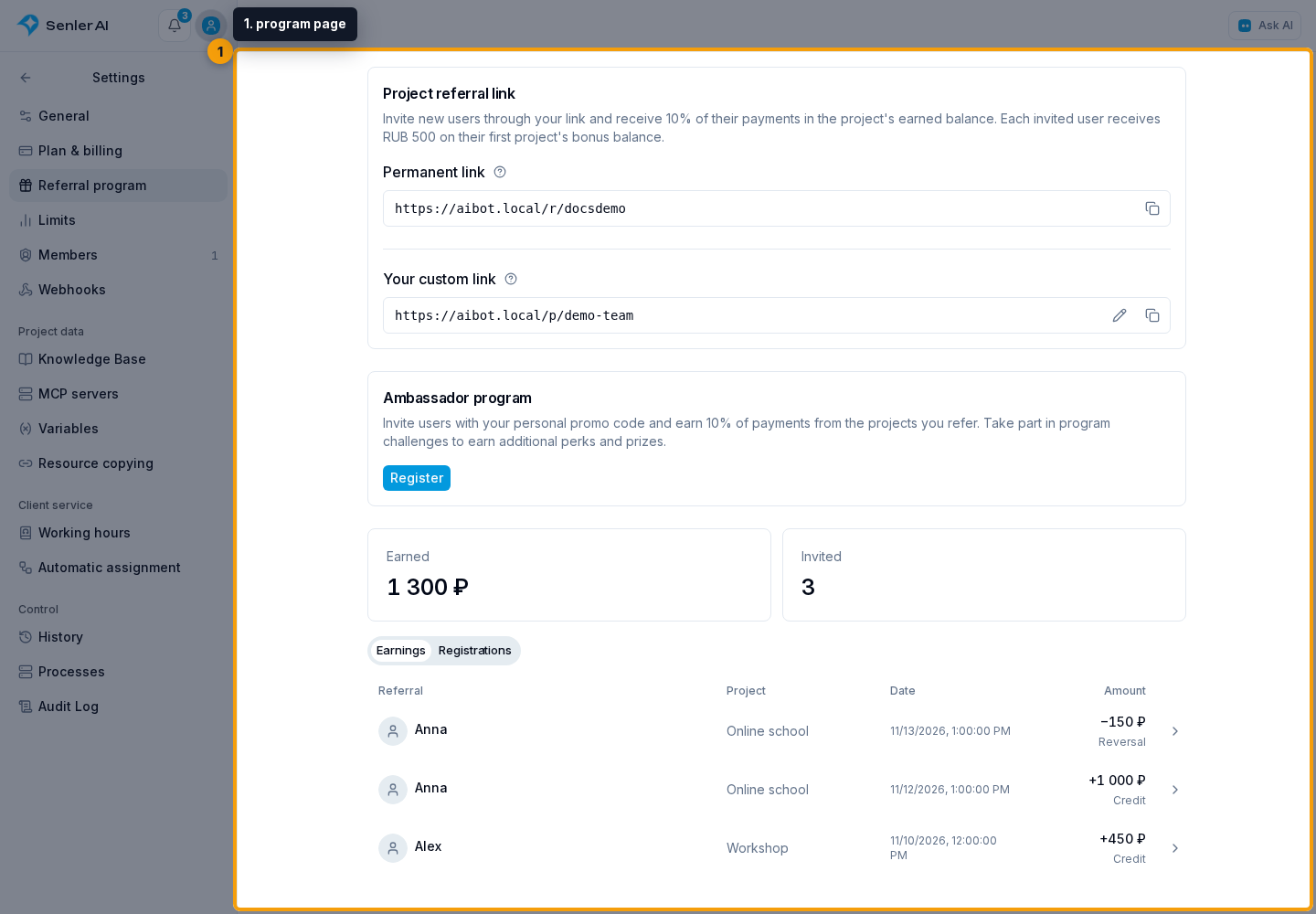
The permanent address stays the same when you rename the custom link.
Customize the address
In the custom address section, in Nickname for your link, enter 3–32 characters: Latin letters, digits, hyphens, or underscores. The first character must be a letter or digit. Names are case-insensitive. Select Add link.
A project can have one custom link. To change it, select the pencil beside the address, enter a new name, and save with the checkmark or Enter. The cross or Escape cancels editing.
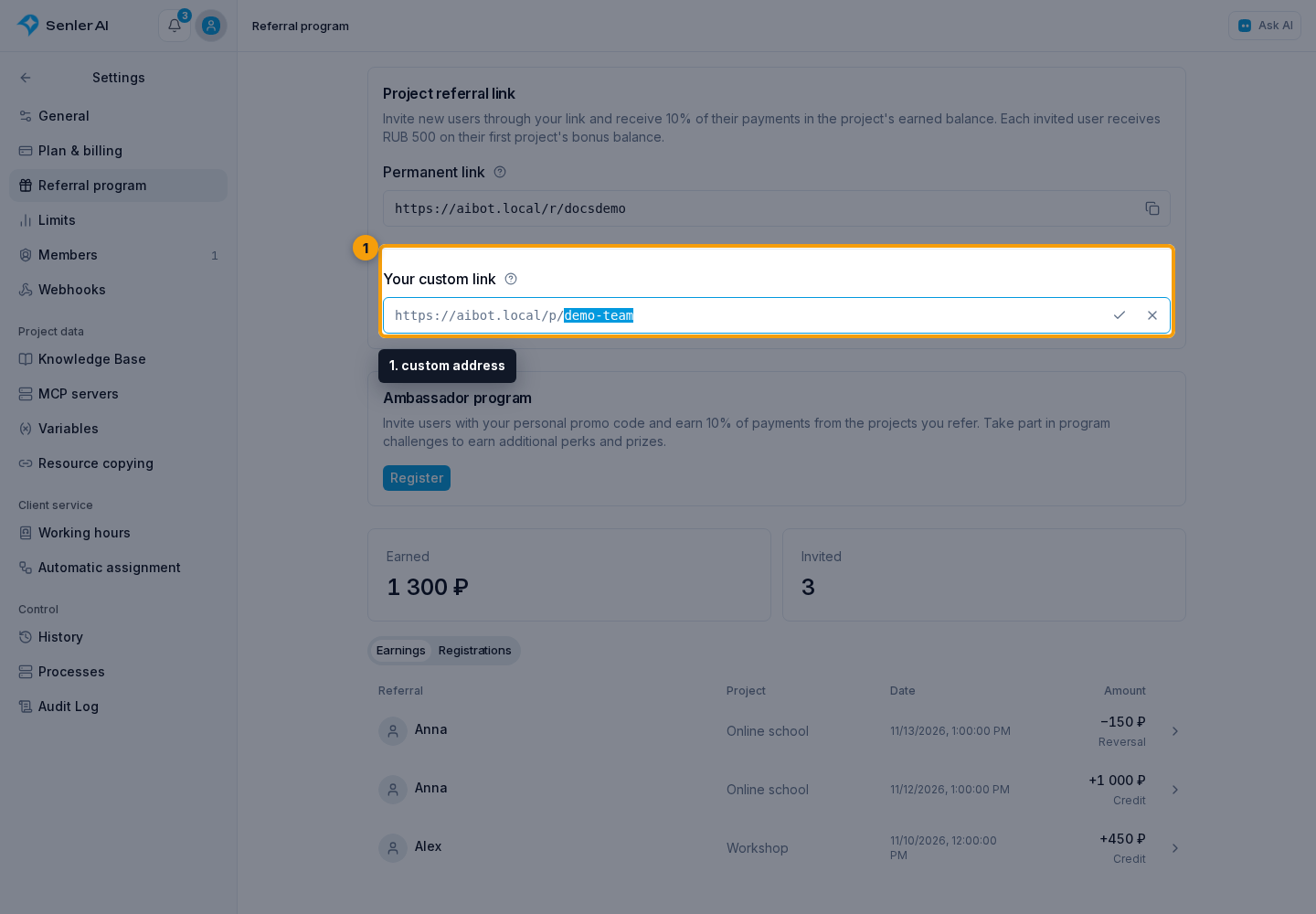
After saving, the previous nickname address stops working. Replace it wherever you shared it. The permanent link continues to work. The custom link cannot be deleted.
Check invitations and earnings
In the program statistics section below the links, Earned and Invited show the totals. On the Earnings tab, check the invited user, project, date, and amount. A commission and its reversal appear as separate operations with a “+” or “−” sign.
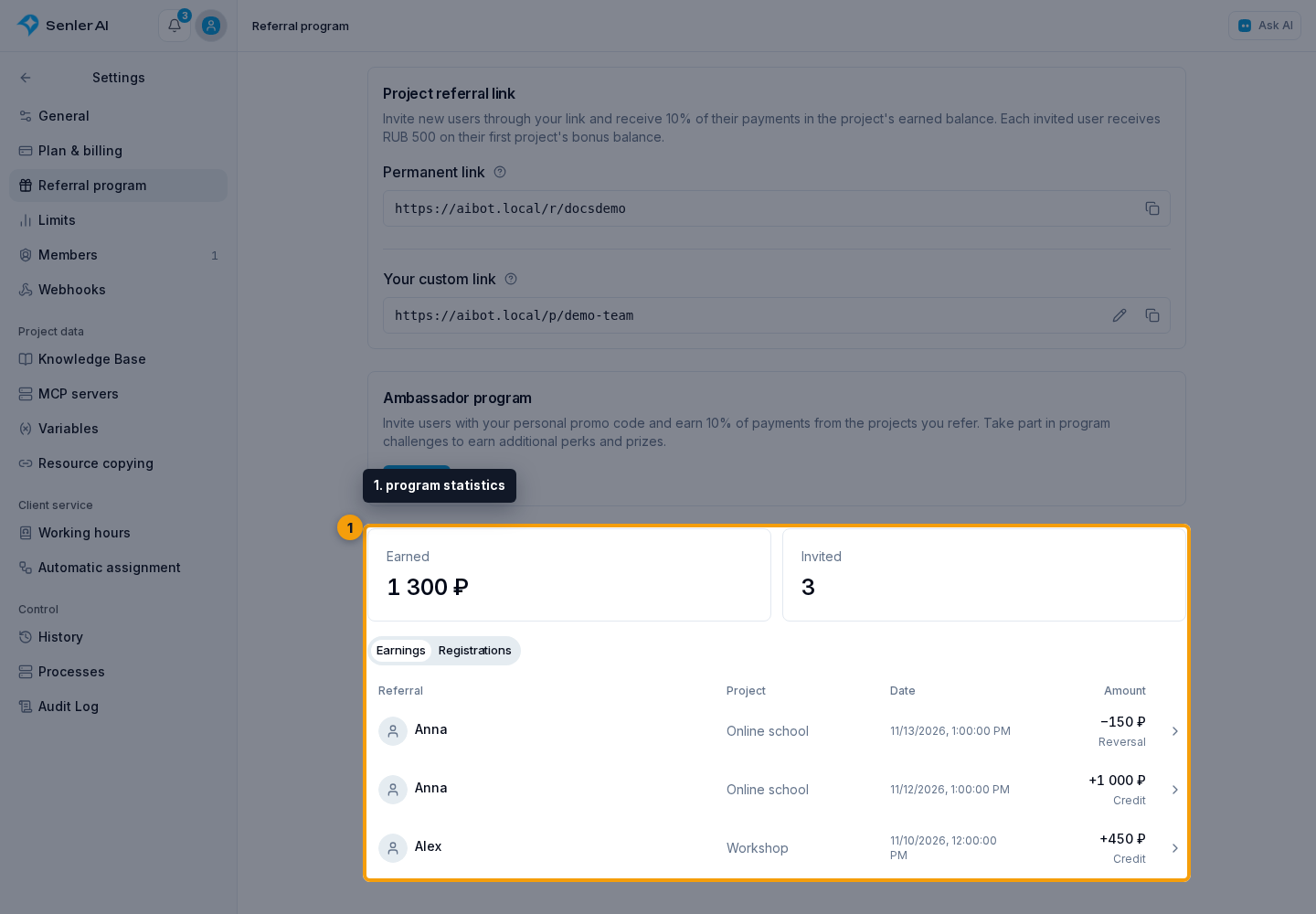
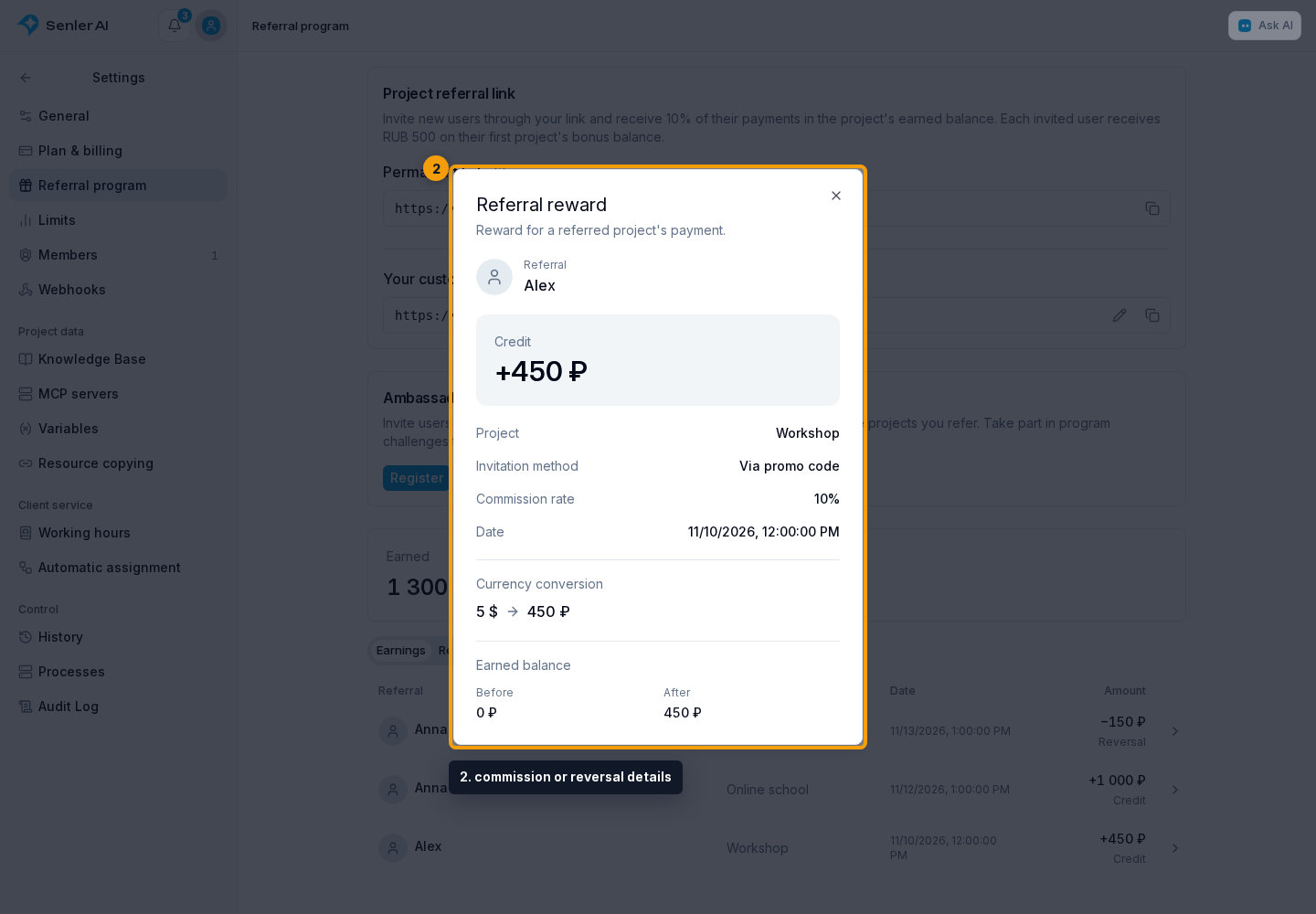
Click an operation row to open commission or reversal details: invitation source, commission rate, date, currency conversion when applicable, and earned balance before and after the operation.
The Registrations tab lists invited users and their associated projects. The history combines invitations by link and promo code. Further entries load as you browse the list.
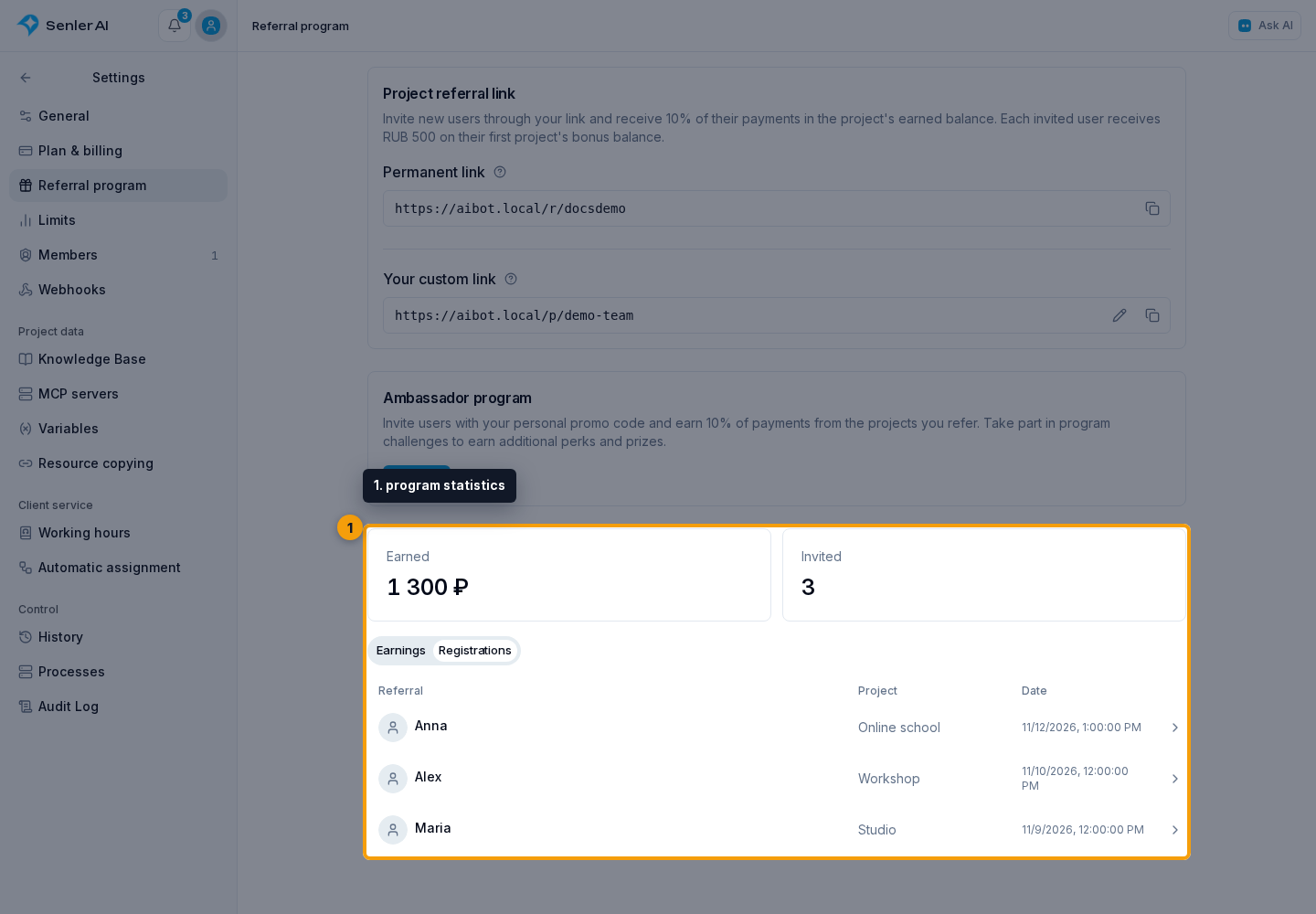
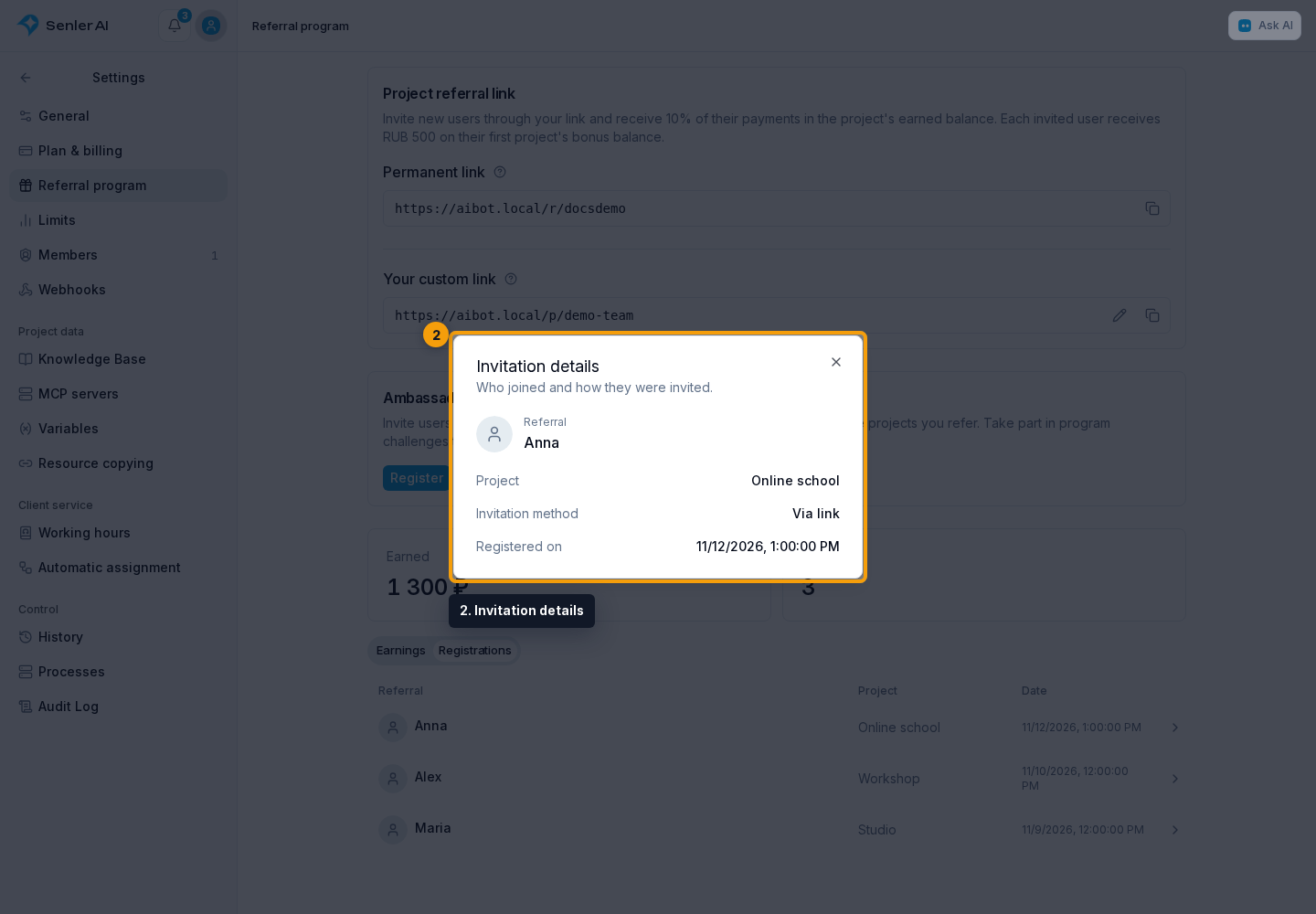
Click a user's row: Invitation details shows the invitation method, project, and registration or promo-code date. If the project has not been created yet, this is shown separately.
Earned funds are included in the project balance. Operation details are available in transaction history.
When an invitation counts
The invited person must follow the link before creating an account and register within 24 hours. Once their first project is linked to the invitation, it receives a one-time credit of 500 RUB on its bonus balance. For a USD balance, the amount is converted at the billing exchange rate. No payment is required to receive the bonus.
The inviting project earns a commission on confirmed external payments by the first project of the invited user.
Existing accounts and self-referrals do not qualify. Following another link does not change an invitation that has already been attributed. Refunding a payment can reverse the associated commission; the history shows this.