
Online Booking
Online booking lets clients choose a time without discussing every available slot. Set up services and schedules, offer booking on a landing page or through an agent, and manage visits in one journal.
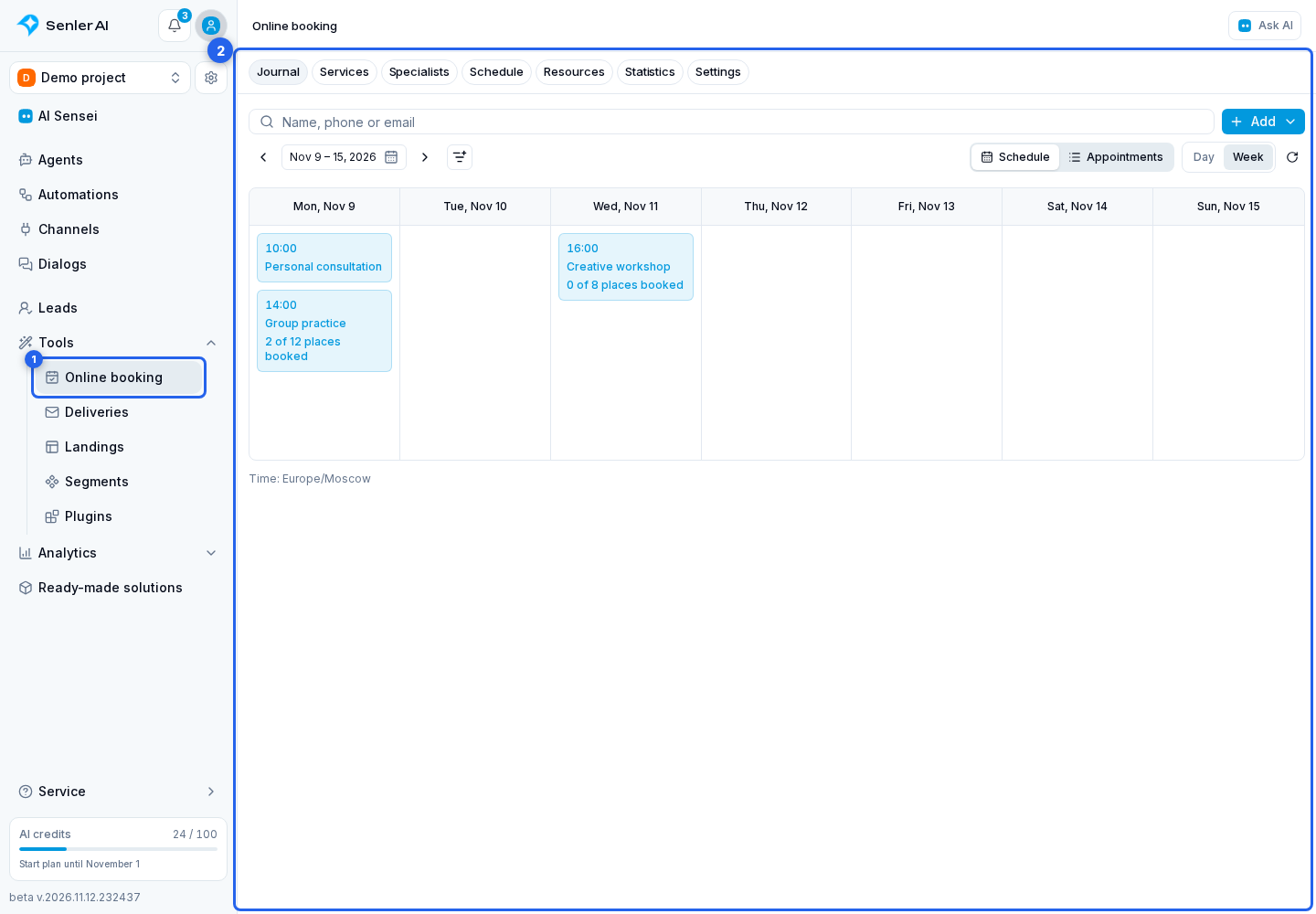
Open Tools → Online Booking. The booking workspace brings together services, specialists, schedules and client bookings.
What you can organize
- Individual appointments: a client chooses a specialist's available time, for example for a consultation.
- Group classes: several clients book the same session while seats are available. A class can be a one-off workshop or repeat on selected weekdays.
A service defines the format, price and duration. A session or appointment has a specific time. A booking links a client to that time and stores their contacts, number of seats and visit status.
In the journal, Schedule shows appointments and classes, while Appointments lists individual client bookings. Participants in a group class appear in its card.
Getting started
- Select the project time zone and the default currency in booking settings.
- Add services, specialists and their schedules.
- Assign resources, such as a room or equipment, if needed.
- For group services, create dated sessions or a recurring series.
- Add a landing page form or enable booking through an agent.
Staff can also book clients manually. Use automations for confirmations and reminders, and open statistics to review occupancy and the value of completed services.