
Editor views
In the automation editor, you can change how the same graph is displayed.
Available views
- Standard shows steps as regular blocks with connections. The main documentation instructions and screenshots use this view.
- Oleg town is a playful view: steps become buildings, connections become roads, and a character named Oleg shows movement through the graph. Both views use the same graph and settings.
Choose an editor view
In More actions, open Editor view. Choose Standard or Oleg town.
In Oleg town, the same graph looks like a map with buildings and roads. The example below shows the selector and the resulting appearance.
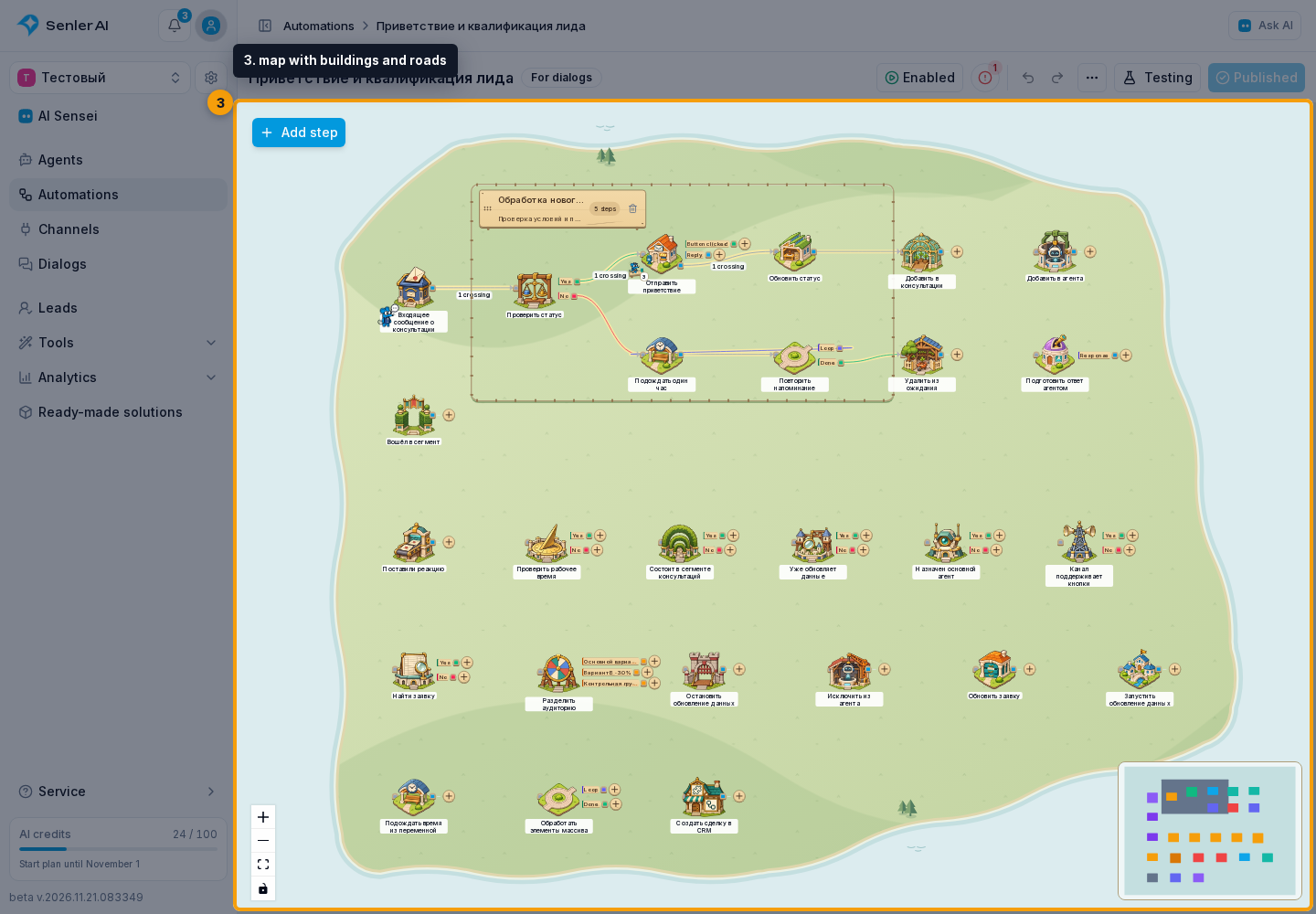
The choice is saved in this browser. Switching views does not change step settings, publish the draft, or start the automation. To return to the regular graph, choose Editor view → Standard.
Step configuration, testing, and reviewing runs are covered by the regular workflow guides.